AICDKS The key shop for the AI era
First-hand supply, minimal markup
Gmail Gmail Account
谷歌母号临时 Email 注册G-openAI专用

Gmail Gmail Account

谷歌母号临时 Email 注册G-openAI专用

Stock 1010 · synced in real time
Price ¥0.5
Promise Pay via Alipay Platform escrow after-sales

Payment never touches this site: LDXP, a third-party escrow platform, collects payment and delivers — delivery is viewable anytime on its order page, with an official complaint channel if anything goes wrong.How escrow protects you

Product ID
107186
Product type
CDK / redemption code
Category
Gmail Gmail Account
Listed on
2026-10-01
Warranty
See merchant notes
Delivery
See merchant notes
After payment, delivery follows the merchant notes; check the order page anytime. Activation guides Any issue? Request after-sales / file a complaint right on the order page. After-sales help
Product details

The following is the merchant's original description; warranty and after-sales terms follow it.


open ai专用谷歌母号整套使用流程梳理

一、商品基础说明

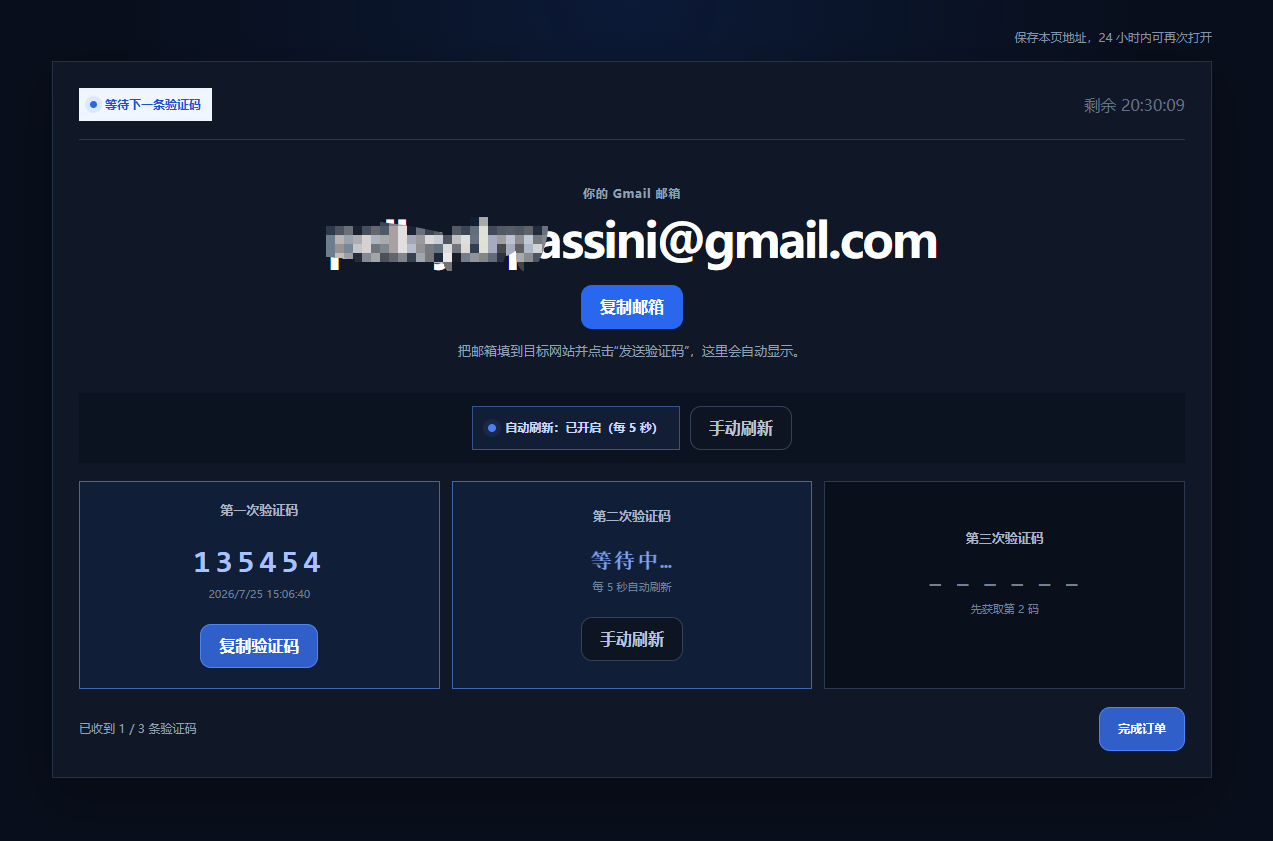
1.账号属性:谷歌邮箱母号,仅用于注册open ai,附带CDK+兑换网址;

2.质保规则:质保对收不到验证码、邮箱未注册open ai的情况;

3.核心限制:open ai注册完成并开启2FA后,临时邮箱后续再无法再接收验证码了
image.png

二、收码异常处理

首次注册收不到验证码:等待1分钟,可自助更换邮箱重试。

三、完整open ai注册&安全加固三步操作

步骤1:注册open ai

使用该谷歌邮箱接收注册验证码,完成open ai账号注册。

步骤2:修改账号密码

注册成功后立即修改open ai账号密码,改密过程会再次接收邮箱验证码。

关键时效:修改密码后的10分钟内,可使用专用接口开通2FA。

步骤3:开通2FA(脱离邮箱依赖核心操作)

1.专用开通接口:https://cha.sanqianke.xyz/two-factor-setup/

2.接口前置准备要求(页面规则) 1)账号必须设置独立密码,第三方登录账号需先补设密码; 2)刚改完密码,控制在5–10分钟内进入页面操作; 3)同浏览器打开session复制完整Session JSON; 4)自备可信认证器工具,用于存储2FA密钥。

•操作风险提示开通2FA属于账号安全变更操作,服务端可能留存2FA密钥;

Access Token、Session Token、2FA密钥均为账号核心凭证,严禁转发、截图、交给陌生人;

•开通成功后页面会展示认证器密钥,务必自行妥善保存,丢失将无法找回账号;

开通效果:2FA启用完成后,后续登录、操作无需再依赖谷歌邮箱收验证码。

四、接口页面操作流程简述

1.进入2FA开通页面,确认已设置密码、近期完成登录,知悉密钥存储风险;

2.粘贴获取的Session Token/完整session JSON;

3.点击确认并开通2FA;

4.等待页面返回开通状态与2FA密钥,自行保存密钥,禁止外泄。

Purchase notes

  • Clicking “Buy now” redirects to LDXP's secure checkout; payment and delivery are completed by that platform.
  • Digital goods are delivered automatically after ordering; the key/account is viewable on the order page.
  • Usage, warranty and after-sales terms follow the listing on the checkout page; confirm there before buying if in doubt.
  • Digital goods are non-refundable once delivered; double-check the specs carefully.

FAQ

How do I use the key / redemption code?

After payment, the order page immediately shows the key or code. Activate it on the corresponding official site/platform per the listing. Confirm the supported region and platform.

How fast is delivery?

Items marked “auto delivery” ship immediately after payment; for others, follow the merchant's notes on the product page.

It doesn't work?

Within 24 hours, file a complaint directly on the LDXP order page; after 24 hours, use our After-sales page with your order number. Digital goods are non-refundable once delivered.

Also viewed · similar picks

View more
Support Guides ¥ 0.50