AICDKS The key shop for the AI era
First-hand supply, minimal markup
ChatGPT
【Official Top-up】Codex Plus [PH Region] CDK Warranted Subscription 30天

ChatGPT

【Official Top-up】Codex Plus [PH Region] CDK Warranted Subscription 30天

30-day warranty Stock 36 · synced in real time 2 shoppers wanted this via this site
Price ¥109 ¥110 Save ¥1
Promise 30-day warranty Pay via Alipay Platform escrow after-sales

Payment never touches this site: LDXP, a third-party escrow platform, collects payment and delivers — delivery is viewable anytime on its order page, with an official complaint channel if anything goes wrong.How escrow protects you

Product ID
110225
Product type
Knowledge content
Category
ChatGPT
Listed on
2026-10-25
Warranty
30-day warranty
Delivery
See merchant notes
After payment, delivery follows the merchant notes; check the order page anytime. Activation guides Any issue? Request after-sales / file a complaint right on the order page. After-sales help
Product details

The following is the merchant's original description; warranty and after-sales terms follow it.

📢下单前请务必了解以下商品详情,下单后即默认已了解并同意详情内容

下单方式:直接拍即可

商品内容:【菲律宾官方代充】Codexplus 1个月【质保30天】

24小时全自动充值!!拍下立刻可充!!无需等待!!

24小时全自动充值!!拍下立刻可充!!无需等待!!

菲律宾区官方代充,正规资金,正规VISA卡代付,一卡一付

官方自动发订阅邮件,账单与收据可以自行在Codex官网下载(左下角头像-设置-账单-查看)

发货方式:卡密发货

写在前面的话:为什么选择云猫这个有手续费的平台,因为云猫对买家来说比较安全,能有售后渠道,遇到没良心的卖家也能有售后的渠道。

1、发送你需要充值账号的【cookie】 网页登录Codex后访问官网即可获取

注意:充值过程期间,请不要退出登录,不然我们登不上

使用范围:

--适用于没有任何订阅的普通Codex账号(该账号目前没有GO、PLUS、PRO等订阅)

--该账号没有进行过任何的0元充值(0刀、嘿充等)(土区ios充值例外,正规ios渠道需等过期4-5天之后才可充值)

--如果该账号使用过手机通道(IOS、google pay等)进行过订阅,需要等待过期2-3天内才可充值

--加入了TEAM的号无法充值,必须退出

质保范围:

--充值成功后,质保30天订阅,【质保跟随openai官方】。

--若充值账号以前有过0元充值订阅的记录,故意隐瞒,继续充值,最后导致被官方风控,则不在质保范围内。

--禁止使用购买的账号充值,若故意隐瞒,继续充值,最后导致被官方风控,则不在质保范围内。

--仅限个人正常使用,若拿去中--转反代、代认证过KYC 或其它可能会导致封号的行为,则不在质保范围内。【封号官方一般不退款】

--充值成功后,不退不换。

下单默认同意以上所有条款。

教程开始

桌面端建议按下面的顺序操作,浏览器页面切换会更顺手,也更方便核对账号信息。

流程:

打开充值站 → 验证卡密 → 登录 官网 → 获取 Session JSON → 返回充值页提交兑换

01

验证卡密

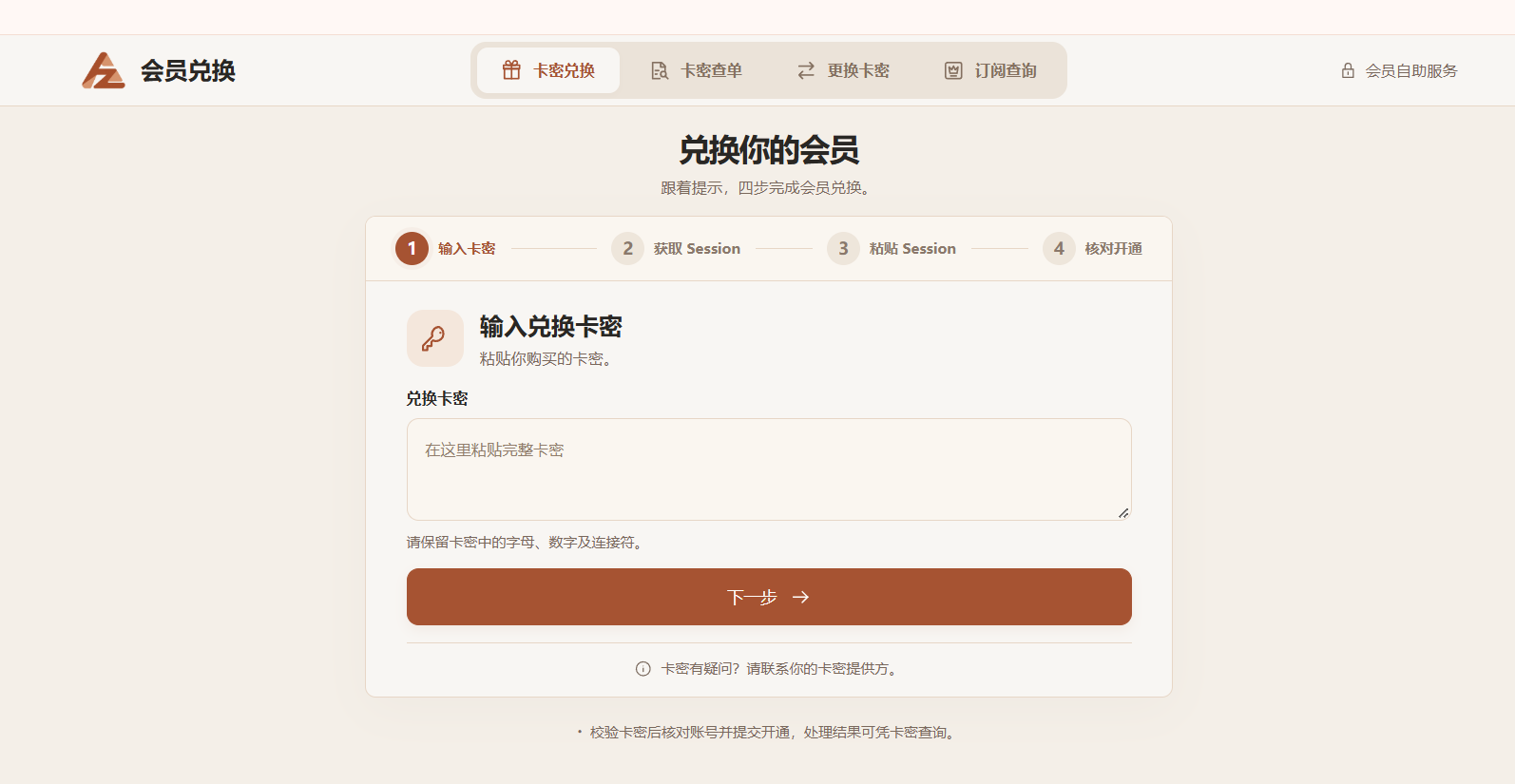
浏览器打开充值站:https://chatplus.vip,输入您购买的卡密。

  1. 卡密示例:PLS-FB-8NEUMN-KPR7DK。
  2. 点击“开始验证”,确认卡密可用后再继续下一步。

验证卡密页面

image.png
02

获取 Session JSON

  1. 先打开官网 ,登录需要充值的账号。
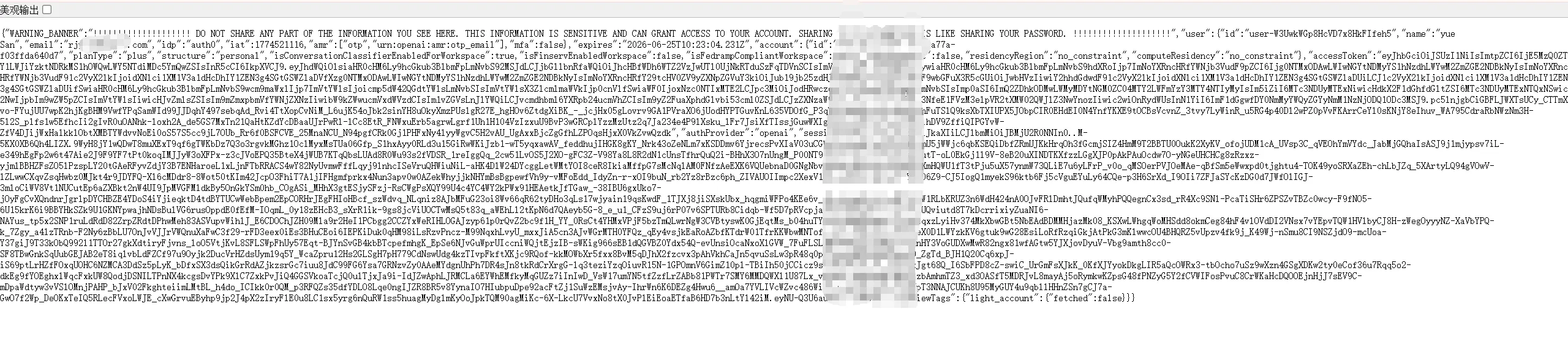
  2. 登录完成后,打开Session 接口。
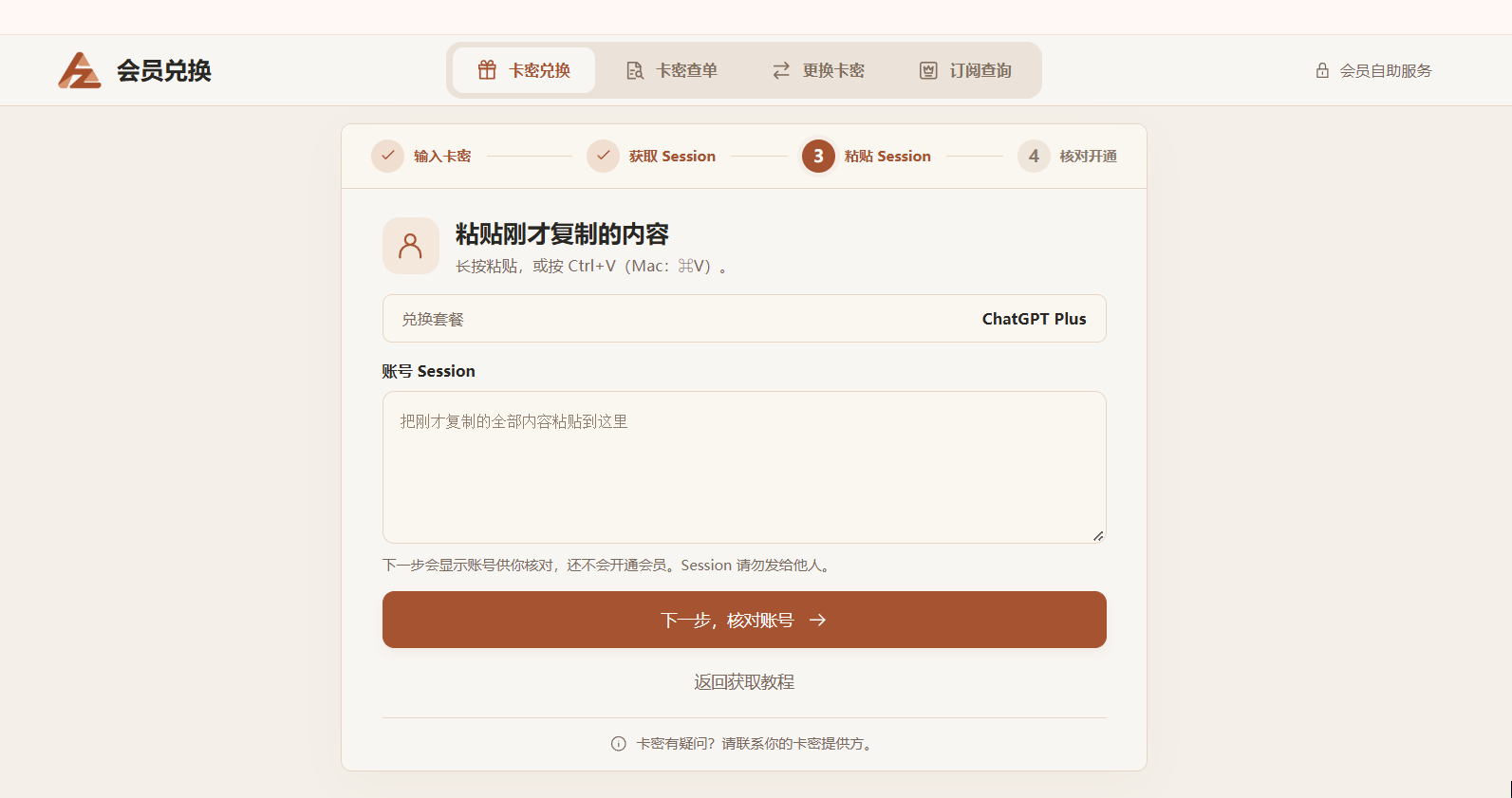
  3. 复制接口返回的完整 JSON 内容,并粘贴回充值页面。

**注意:**不要只复制其中一小段,必须复制完整 JSON。

获取 Session

image.png

复制 JSON

image.png

确认充值

最后一步主要是核对账号和商品信息,确认无误后再提交兑换请求。

提交前请确认

确认兑换账号、商品信息和卡密状态都正确。

如果当前账号已经是 Plus,请先想清楚是否要继续覆盖原有订阅权益。

充值成功后返回 CODEX 官网,刷新页面查看 Plus 会员状态。

兑换确认与结果
image.png


常见问题(Q&A)

桌面端最常见的问题是账号未登录、浏览器拦截跳转,或者复制到的 JSON 不完整。

Q

点击获取账号显示{},也就是空的,怎么办?

  1. 先确认 CODEX 官网已经登录的是需要充值的那个账号。
  2. 如果浏览器自动跳转、内容为空,建议更换浏览器,或者直接改在电脑浏览器中重新操作。
  3. 重新打开 Session 接口,复制完整 JSON,再粘贴回充值页面。

排查顺序

  • 先看官网是否已登录目标账号。
  • 再看接口返回是否是完整 JSON,而不是空对象。
  • 最后再检查复制时有没有缺少开头或结尾。


Purchase notes

  • Clicking “Buy now” redirects to LDXP's secure checkout; payment and delivery are completed by that platform.
  • Digital goods are delivered automatically after ordering; the key/account is viewable on the order page.
  • Usage, warranty and after-sales terms follow the listing on the checkout page; confirm there before buying if in doubt.
  • Digital goods are non-refundable once delivered; double-check the specs carefully.

FAQ

How do I view knowledge/content items?

After successful payment you can view the full content on the order page; keep the order page link safe.

Are refunds supported?

Digital content is non-refundable once delivered; read the listing carefully before ordering.

Also viewed · similar picks

View more